
About Crossfire: Legends SEA Top Up
Rebuilt from the ground up for mobile, Crossfire: Legends brings the adrenaline-fueled action of the legendary PC shooter to your fingertips, now with smooth, intuitive controls you can enjoy on the go.
How do I top up Crossfire: Legends SEA?
1. Choose the denomination of Crossfire: Legends SEA coins.
2. Enter your Crossfire: Legends Player ID.
3. Select your payment method.
4. Once payment is complete, the Crossfire: Legends SEA coins you purchased are credited to your account right away.
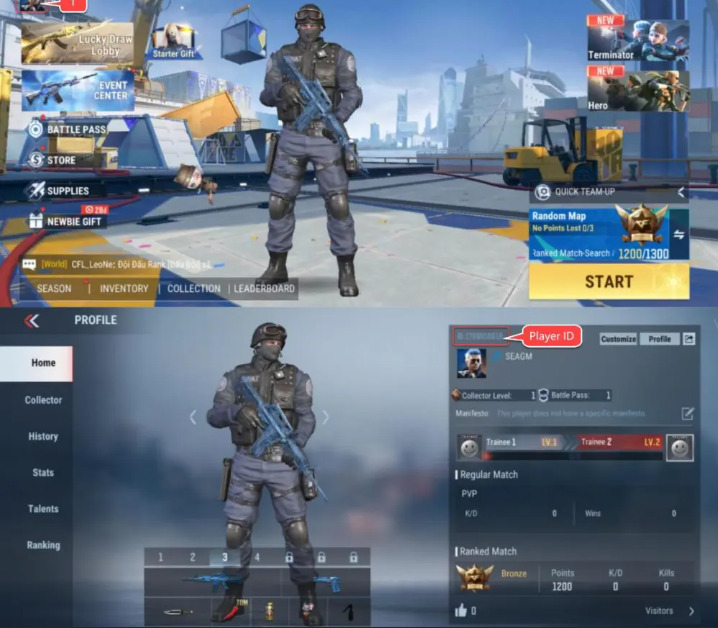
How do I find my Crossfire: Legends SEA Player ID?
1. Log in to your account and enter the game.
2. Tap the profile icon at the top left.
3. Your Crossfire: Legends Player ID will be displayed.