How to Top Up MU Origin Diamonds?
- In thePAY app, select the MU Origin product and choose the amount of coins you want to purchase.
- Enter your game account UID.
- After entering the information, press the ‘RECHARGE’ button.
- Once the payment is completed, the purchased Diamonds will be immediately credited to your account.
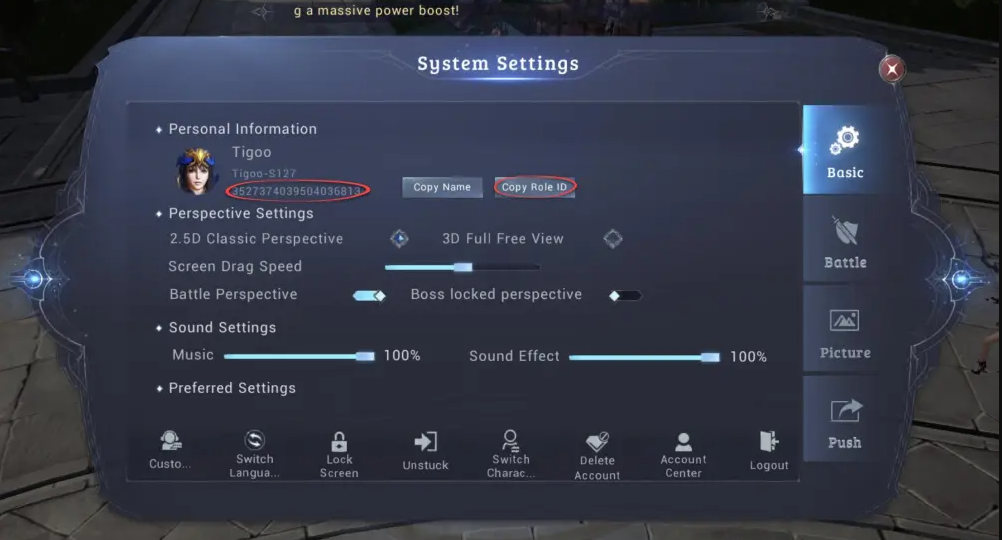
How to find your MU Origin User ID?
- Log in to the game using your account.
- Open your profile image, go to Settings, and scroll down.
- Your User UID and Region ID will be displayed in the settings details.